Email marketing drives event success by boosting registrations and engagement. Personalized, well-timed campaigns with clear goals and optimized design ensure higher attendance and stronger connections with your audience.
Event planning is a massive undertaking. From securing a venue and lining up speakers to managing logistics and coordinating vendors, the to-do list seems endless. Amidst this complexity, one of the most critical elements for success is ensuring people actually show up. This is where a well-crafted email marketing strategy becomes your most valuable asset.
Email remains one of the most effective channels for event promotion, offering a direct line to your audience that social media algorithms can’t match. It allows you to build anticipation, share crucial information, and nurture a relationship with potential attendees from the first announcement to the final thank-you note. A strategic approach can significantly boost ticket sales, increase engagement, and create a memorable experience long before the event day arrives.
This guide explores the best email marketing strategies to maximize attendance and engagement for your next event. We will cover everything from segmenting your audience and crafting compelling messages to timing your sends and analyzing your results. By implementing these tactics, you can transform your email list into a thriving community of eager attendees.
Laying the Foundation for Success
Before you send your first email, a little prep work goes a long way. A solid foundation ensures your campaigns are targeted, effective, and drive the results you need.
Define Your Goals and KPIs
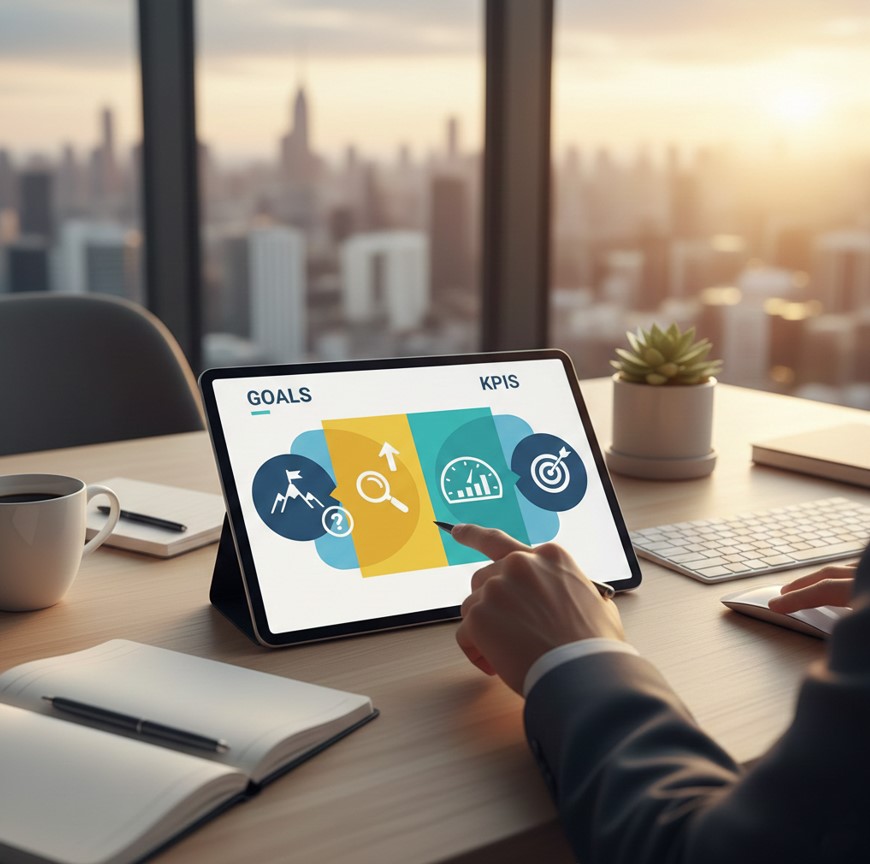
What does success look like for your event? Your goals will shape your entire email strategy. Are you aiming to sell out a paid conference, maximize free registrations for a webinar, or drive early-bird sign-ups?
Once you have your primary goal, identify the Key Performance Indicators (KPIs) you’ll use to track progress. These might include:
- Open Rate: The percentage of recipients who open your email.
- Click-Through Rate (CTR): The percentage of recipients who click a link in your email.
- Conversion Rate: The percentage of recipients who complete a desired action, like registering or buying a ticket.
- Unsubscribe Rate: The percentage of recipients who opt out of your email list.
Setting clear goals and KPIs from the start allows you to measure the effectiveness of your campaigns and make data-driven adjustments. For insights on connecting your email campaigns to broader digital marketing results, see digital marketing event results.
Segment Your Audience for Personalization
Not all of your subscribers are the same. Sending a generic, one-size-fits-all email to your entire list is a recipe for low engagement. Audience segmentation involves dividing your email list into smaller, more targeted groups based on shared characteristics.
You can segment your audience based on various criteria, such as past attendance, demographics, engagement level, or ticket type. Personalized emails generate significantly higher open and click-through rates. By speaking directly to the interests and needs of each segment, you make your communication more relevant and compelling. For tips on integrating email with broader event branding, see our event marketing strategy complete guide.
You can segment your audience based on various criteria:
- Past Attendance: Create separate lists for those who have attended previous events and first-timers. Past attendees might appreciate a “welcome back” offer, while newcomers may need more information about what to expect.
- Demographics: Segment by location, job title, or industry to tailor content to specific professional groups.
- Engagement Level: Group subscribers based on how they’ve interacted with your past emails. Highly engaged users might receive exclusive offers, while less engaged ones could get a re-engagement campaign.
- Ticket Type: If you offer different ticket tiers (e.g., VIP, General Admission, Early Bird), create segments to send relevant updates and perks to each group.
Personalized emails generate significantly higher open and click-through rates. By speaking directly to the interests and needs of each segment, you make your communication more relevant and compelling. For businesses looking to integrate email with overall event branding, explore event marketing for brand growth
Crafting Your Event Email Sequence
Crafting Your Event Email Sequence
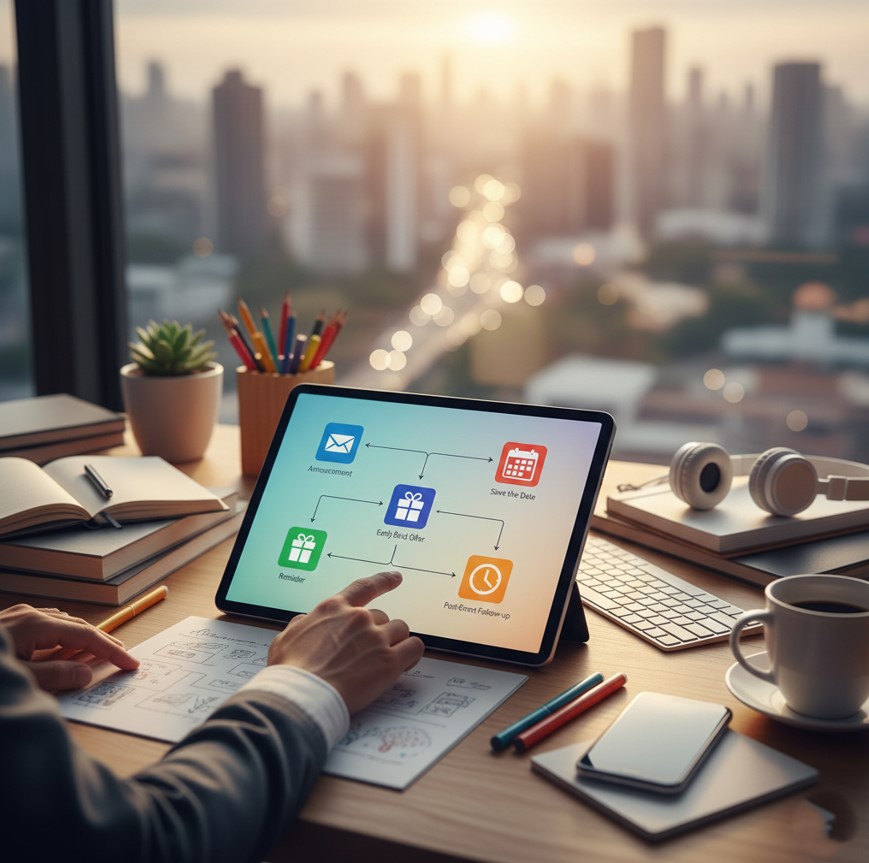
A successful event promotion isn’t a single email—it’s a carefully timed sequence of messages designed to guide your audience through the journey from awareness to attendance. For comprehensive guidance, explore our guide to event email marketing software.
The Initial Announcement (The “Save the Date”)
When to send: 2-3 months before the event.
This is your first opportunity to generate excitement. Your announcement email should be visually appealing and concise, providing the most critical information at a glance.
Analyzing the performance of your email campaigns is essential to improving results and making data-driven decisions. Beyond basic metrics, monitoring engagement heatmaps, bounce rates, and revenue attribution helps optimize your emails. For a deeper dive, check Email Marketing Data: Your Complete Analysis Guide.
What to include:
- Event Name and Theme: A catchy title that captures the essence of the event.
- Date and Location: The fundamental details people need to know.
- A Brief Teaser: Hint at key speakers, topics, or unique experiences to pique interest.
- A Clear Call to Action (CTA): Even if tickets aren’t on sale yet, include a CTA like “Learn More” or “Add to Calendar.”
The goal of this email is to get your event on people’s radar and build initial anticipation.
The Official Invitation and Registration Launch
When to send: 6-8 weeks before the event.
This email officially opens registration. Highlight the value of attending and make it easy to sign up. Including clear, actionable CTAs can significantly improve conversions. For guidance on building effective campaigns, see how to build a digital marketing plan
What to include:
- Compelling Value Proposition: Clearly answer the question: “What’s in it for me?” Focus on the benefits, whether it’s learning new skills, networking with industry leaders, or experiencing something unique.
- Detailed Information: Provide more details about the agenda, speakers, and sessions.
- Early-Bird Offer: Create a sense of urgency by offering a discount for a limited time. Phrases like “Register now and save 20%!” are highly effective.
- Prominent CTA Buttons: Use clear, action-oriented CTAs like “Register Now,” “Buy Your Ticket,” or “Claim Your Spot.”
The Reminder and Social Proof Campaign
When to send: 3-4 weeks before the event.
As the date approaches, you need to keep the momentum going. Reminder emails can incorporate social proof to build credibility and FOMO (fear of missing out).
What to include:
- Speaker Spotlights: Feature interviews or quotes from your keynote speakers.
- Testimonials: Include positive feedback from past attendees.
- Sponsor Highlights: Showcase the reputable brands supporting your event.
- Urgency-Driven Copy: Remind subscribers that time is running out for early-bird pricing or that tickets are selling fast.
This stage is about reinforcing the event’s value and encouraging those who are still on the fence to commit.
The “Last Chance to Register” Email
When to send: The week of the registration deadline or a few days before the event.
Urgency is your most powerful tool in this final push. This email should be direct, concise, and focused on driving immediate action.
What to include:
- A Clear Deadline: Use a bolded, unmissable statement like “Registration closes in 24 hours.”
- A Simple, Powerful Message: Keep the copy short and to the point. Remind them of one or two key benefits.
- An Unmissable CTA: Make the registration button the star of the show.
This email often generates a significant spike in last-minute registrations, so don’t skip it.
The Pre-Event Logistics Email (“Know Before You Go”)
When to send: 1-3 days before the event.
Once someone has registered, your job isn’t done. A well-prepared attendee is a happy attendee. This email shifts from promotion to preparation.
What to include:
- Venue Details: Address, parking information, and a map.
- Agenda and Schedule: A link to the full schedule so they can plan their day.
- Check-In Instructions: What they need to bring (e.g., ticket, ID).
- Contact Information: Who to contact if they have questions.
This practical email reduces attendee anxiety and ensures a smooth experience on the day.
The Post-Event Follow-Up
When to send: 1-2 days after the event.
The conversation doesn’t end when the event is over. A post-event email is crucial for gathering feedback and nurturing your community.
What to include:
- A Heartfelt Thank You: Show appreciation for their attendance.
- A Link to a Feedback Survey: Gathering insights is essential for improving future events.
- Access to Resources: Share links to presentation slides, recordings, or photos.
- An Announcement for the Next Event: Plant the seed for future attendance.
This email strengthens your relationship with attendees and turns them into loyal advocates for your brand.
Best Practices for High-Performing Event Emails

Creating a sequence is just one part of the puzzle. To truly maximize your results, follow these best practices.
Write Irresistible Subject Lines
Your subject line is the gatekeeper of your email. No matter how great your content is, it won’t matter if nobody opens it.
- Keep it Short and Sweet: Aim for under 50 characters to ensure it displays well on mobile devices.
- Create Curiosity: Ask a question or use a teaser (e.g., “Guess who’s speaking at [Event Name]?”).
- Use Personalization: Including the recipient’s name can boost open rates.
- Convey Urgency: Use words like “Last chance,” “Ends today,” or “24 hours left.”
Design for Mobile-First
Over half of all emails are opened on a mobile device. If your email is difficult to read on a small screen, your engagement will suffer.
- Use a Single-Column Layout: This makes content easy to scroll through.
- Opt for Large Fonts and Buttons: Ensure text is legible and CTAs are easy to tap.
- Optimize Your Images: Compress images to ensure they load quickly without sacrificing quality.
Leverage A/B Testing
Don’t just guess what works—test it. A/B testing involves sending two variations of an email to small segments of your audience to see which one performs better. You can test:
- Subject Lines: Does a question or a statement perform better?
- CTAs: Does “Register Now” get more clicks than “Save My Spot”?
- Email Copy: Is shorter or longer copy more effective?
- Images: Does a picture of a speaker or the venue drive more engagement?
Continuously testing and optimizing your emails will lead to incremental gains that add up over time.
Integrating Email with Other Marketing Channels
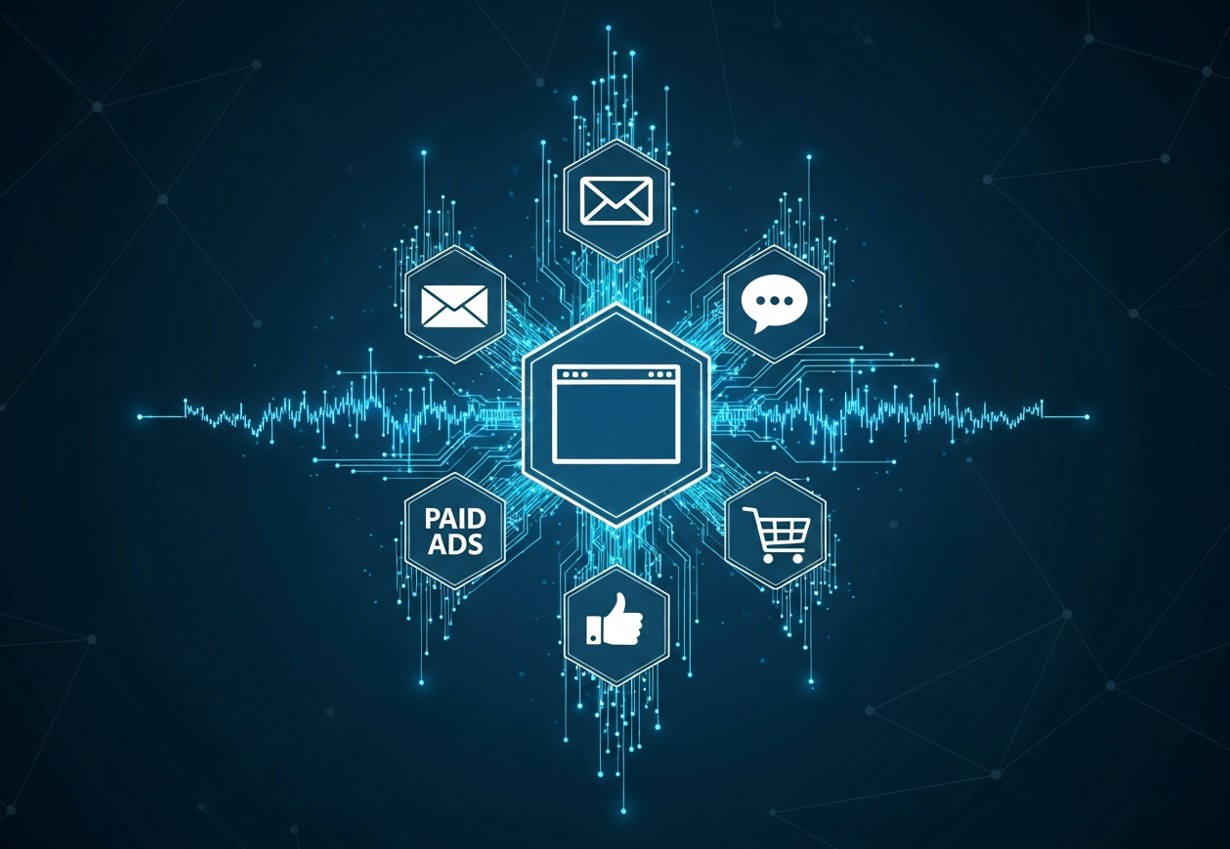
While email marketing is powerful on its own, it becomes even more effective when integrated with other marketing channels. A multi-channel strategy ensures your audience encounters your event across several touchpoints, reinforcing your message and increasing engagement. Social media can amplify your email campaigns by encouraging subscribers to share announcements or join conversations around the event. Paid ads, like Facebook or Google retargeting campaigns, can capture users who clicked your emails but didn’t complete registration. Additionally, integrating your email campaigns with your website or event landing page allows for consistent branding, clear messaging, and easy access to registration forms. By aligning all channels, you create a cohesive promotional strategy that maximizes reach and conversions.
Automating Your Email Campaigns
Automation is key to running a seamless event email strategy, allowing you to send timely and relevant messages without constant manual effort. Automated workflows can help nurture your audience from their first interaction with your event to post-event engagement. For example, a welcome series for new subscribers can introduce your event, highlight key sessions, and provide registration links. Abandoned registration workflows ensure that users who start the signup process but don’t finish receive gentle reminders and encouragement to complete their registration. You can also create personalized journeys for VIP or tiered attendees, offering exclusive sneak peeks, networking opportunities, or early access to event materials. Automation ensures consistent communication and keeps your event top-of-mind for every potential attendee.
Using Analytics to Refine Your Strategy
Analyzing the performance of your email campaigns is essential to improving results and making data-driven decisions. Beyond basic metrics like open rates and click-through rates, delve into engagement heatmaps to see which sections of your emails capture the most attention. Monitoring bounce rates can help identify deliverability issues that prevent your messages from reaching your audience. Revenue attribution is another critical metric, showing exactly how much ticket revenue can be traced back to your email campaigns. By regularly reviewing and interpreting these insights, you can optimize subject lines, email design, send times, and messaging, ensuring each campaign performs better than the last. Analytics allow you to learn what resonates with your audience and continuously refine your strategy for maximum impact.
Analyzing campaign performance is essential for improvement. Engagement heatmaps, bounce rates, and revenue attribution can provide insights for optimization. Learn more in our event digital marketing complete strategy.
Your Next Steps to Success
Email marketing is an indispensable tool for any event organizer. By building a strategic sequence, personalizing your messages, and adhering to best practices, you can create a powerful engine for driving registrations and fostering a vibrant community. Remember that each email is a touchpoint—an opportunity to build excitement, provide value, and strengthen your relationship with your audience.
Ready to put these strategies into action? Start by outlining your email sequence for your next event. Define your goals, segment your audience, and begin crafting compelling messages that will turn subscribers into enthusiastic attendees.
Frequently Asked Questions (FAQs)
How many emails should I send for an event?
The ideal number depends on the timeline and complexity of your event. A typical sequence includes 5-8 emails, from the initial announcement to the post-event follow-up. The key is to provide value in each message rather than just repeating the same call to action.
What is the best day and time to send event marketing emails?
While there’s no single magic time, industry data often points to mid-week (Tuesday, Wednesday, Thursday) and mid-day (around 10 AM or 2 PM) as strong performers. However, the best approach is to test different send times with your specific audience to see what yields the highest engagement.
How can I grow my email list for event promotion?
You can grow your list by adding a sign-up form to your website, offering a valuable lead magnet (like an industry report or checklist), running social media contests that require an email sign-up, and collecting emails at past events. Always ensure you have permission to email subscribers to comply with regulations like GDPR and CAN-SPAM.
What tools do you recommend for event email marketing?
Popular email marketing platforms like Mailchimp, Constant Contact, and Campaign Monitor are excellent for managing event campaigns. Many also integrate with event management platforms like Eventbrite, which can streamline the process of tracking registrations and communicating with attendees.