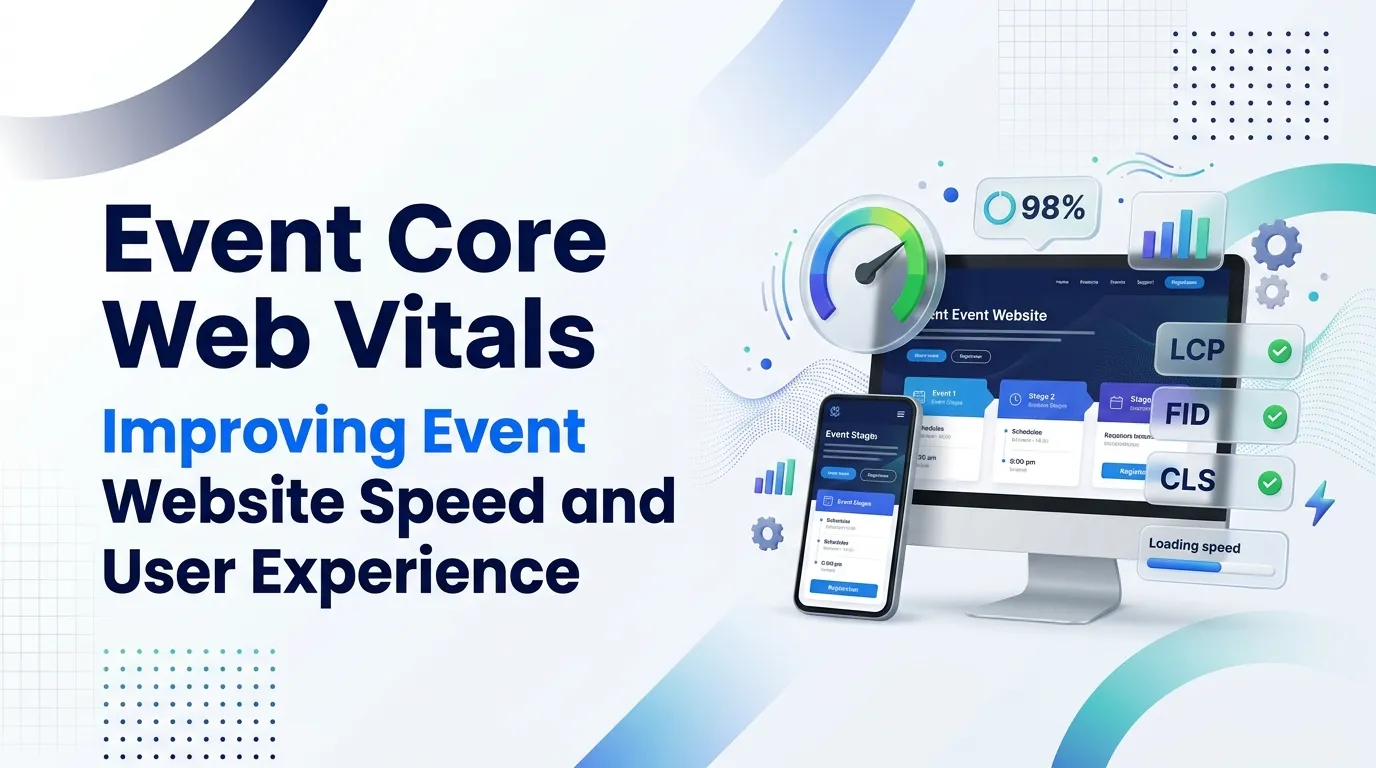
Event Core Web Vitals help event organizers evaluate website loading speed, responsiveness, and visual stability. These performance factors influence how easily visitors can explore event details, review schedules, and complete registrations. By improving event page speed optimization, mobile performance, and page stability, organizers can create a smoother browsing experience and reduce unnecessary friction during registration. Monitoring performance metrics and addressing technical issues helps event websites remain accessible, reliable, and effective throughout promotional campaigns.
An event website often serves as the first point of contact between an organizer and a potential attendee. Whether a business is promoting a conference, webinar, exhibition, networking session, or industry summit, visitors expect to find essential information quickly and navigate the registration process without unnecessary delays. A website that loads slowly, responds poorly to user interactions, or shifts unexpectedly while loading can make this experience frustrating.
This is where Event Core Web Vitals becomes relevant. Core Web Vitals are Google’s user experience metrics that evaluate important aspects of website performance, including loading speed, interactivity, and visual stability. Although these metrics apply to websites across industries, they are particularly important for event pages because visitors often arrive with a specific goal, such as checking event details, comparing ticket options, or registering for a session.
Strong website performance helps event organizers present information clearly and create a smoother path from discovery to registration. It also supports the broader digital marketing activities that bring visitors to event pages. When advertising, search visibility, social media promotion, and email campaigns attract potential attendees, a reliable website helps ensure that the destination experience meets their expectations.
Improving event website performance requires attention to more than page loading time alone. Organizers must also consider mobile usability, interaction responsiveness, page stability, and the technical demands of registration systems.
By understanding Event Core Web Vitals and applying suitable optimization techniques, event marketers can build faster, more reliable websites that support attendee satisfaction and business objectives.
Understanding Event Core Web Vitals
Event Core Web Vitals refers to applying Google’s Core Web Vitals metrics to event websites and landing pages. These metrics focus on how visitors experience a page rather than measuring technical performance solely through server statistics.
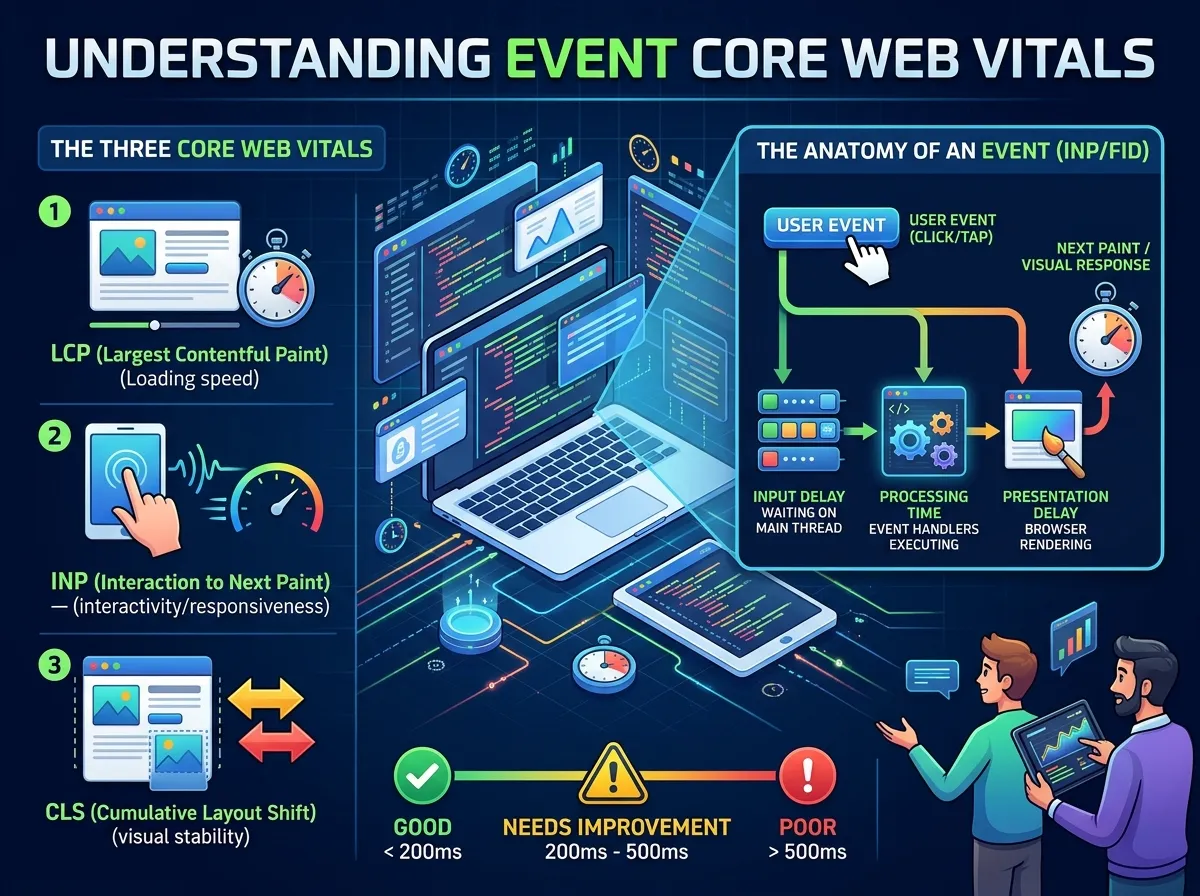
The three primary Core Web Vitals are Largest Contentful Paint (LCP), Interaction to Next Paint (INP), and Cumulative Layout Shift (CLS). Each measures a different aspect of the browsing experience.
Largest Contentful Paint measures how quickly the largest visible content element, such as a banner image or main heading, appears. Interaction to Next Paint evaluates how quickly a page responds visually after a user interacts with it. Cumulative Layout Shift measures unexpected movement of visible page elements during loading and use.
Google’s current guidance identifies good performance thresholds as:
-
LCP: 2.5 seconds or less.
-
INP: 200 milliseconds or less.
-
CLS: 0.1 or less.
These thresholds should generally be assessed at the 75th percentile of real user visits, with mobile and desktop experiences considered separately.
For an event website, these measurements relate directly to common visitor activities. A large promotional banner can affect loading speed, a slow ticket-selection interface can affect responsiveness, and a shifting registration button can create an unstable experience.
Core Web Vitals are not a guarantee of higher search rankings or event registrations. However, they provide useful indicators of page experience and help organizers identify technical barriers that may interfere with visitors’ goals.
Event Website Performance and Loading Speed
Event website performance influences how quickly visitors can access the information they need. When a page takes too long to display its main content, users may become impatient or leave before discovering the event’s value.
Event websites frequently include large hero images, promotional videos, speaker photographs, sponsor logos, embedded calendars, and third-party registration tools. Although these elements can make a page informative and visually engaging, they can also increase loading demands when they are not optimized properly.
A strong performance strategy starts with identifying which resources have the greatest impact on loading. Large images can often be compressed or served in modern formats such as WebP or AVIF. Images displayed below the initial viewport can be loaded when needed rather than competing with the main content during the first page load.
Efficient hosting, caching, content delivery networks, and reduced unnecessary JavaScript can further improve delivery speed. Organizers should also evaluate third-party scripts carefully because analytics tools, chat widgets, advertising pixels, and ticketing integrations may introduce additional network requests.
The goal is not to remove every visual feature. Instead, the website should prioritize the information visitors need first, including the event name, date, location, key benefits, and primary registration action.
A fast event website allows visitors to understand the offer sooner and move through the page with fewer interruptions. This creates a stronger foundation for registration and supports the effectiveness of promotional traffic.
Event Page Speed Optimization and Largest Contentful Paint
Event page speed optimization focuses on reducing the time required for important page content to appear. Largest Contentful Paint is particularly useful because it measures when the largest main content element becomes visible within the visitor’s viewport.
On an event landing page, this element might be a headline, a large event banner, or a featured image. If the element depends on a large file or a slow server response, the page may feel incomplete even when smaller elements have already appeared.
Image optimization is one of the most practical improvements. Event organizers can resize images to match their actual display dimensions, compress files, and choose appropriate image formats. Serving an enormous banner image to a small mobile screen can waste bandwidth without improving the experience.
The way resources are prioritized also matters. The main image or font required for the initial display should not be delayed behind less important scripts. At the same time, unnecessary preloading should be avoided because loading too many resources at once can compete for bandwidth.
Server response time is another important factor. Slow database queries, inefficient page generation, and inadequate hosting resources can delay the delivery of the initial document. Caching and better server configuration may help reduce these delays.
Event pages should also avoid loading large video backgrounds or complex animations before the essential content becomes available. A lightweight poster image with optional video playback may provide a better balance between visual appeal and performance.
Improving LCP helps the event’s main message appear sooner, giving visitors a clearer understanding of the page without waiting for every secondary element to load.
Event Website Responsiveness and Interaction to Next Paint
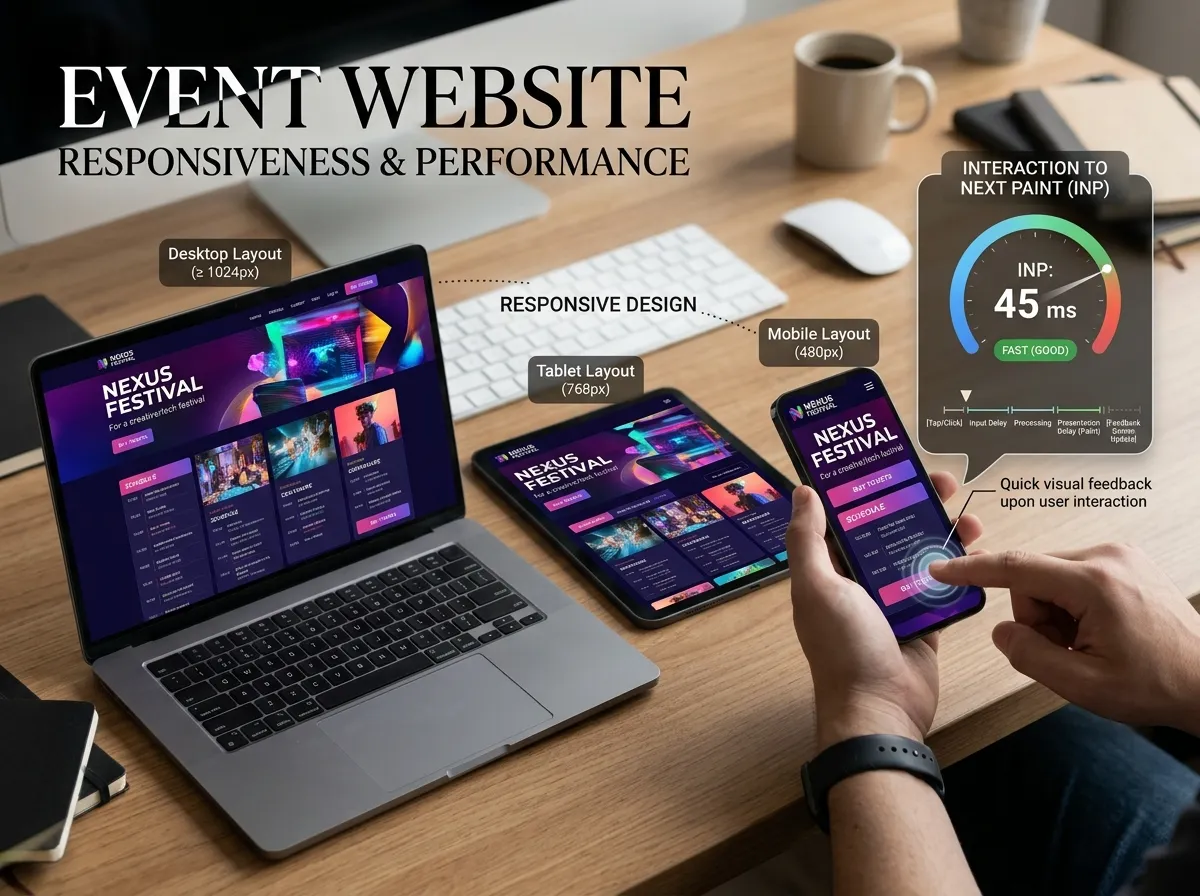
Event website responsiveness describes how quickly a website reacts when visitors interact with its controls. Interaction to Next Paint measures the latency between an interaction, such as a click, tap, or key press, and the next visual update presented by the browser.
This metric is especially relevant to interactive event pages. Visitors may open a schedule, select a ticket type, expand speaker details, apply a discount code, or submit a registration form. If these actions feel delayed, users may click repeatedly, become confused, or abandon the process.
One common cause of poor responsiveness is excessive JavaScript execution. A browser may need to process large scripts before it can respond smoothly to user input. Reducing unnecessary code, splitting scripts into smaller parts, and delaying nonessential functionality can help keep the main thread available for interactions.
Third-party registration widgets can also affect responsiveness. Organizers should assess whether embedded tools introduce heavy scripts or competing tasks. When possible, choosing lightweight integrations and loading nonessential features only when needed can reduce the burden on the page.
Forms deserve particular attention because they are central to many event websites. Input fields should respond promptly, validation messages should appear clearly, and submission feedback should help visitors understand whether their information has been received.
An event website should also communicate errors in a useful way. If a ticket option becomes unavailable or a required field is missing, visitors need clear feedback rather than a frozen interface or an unexplained delay.
By improving interaction responsiveness, organizers can make important actions feel more predictable and help visitors complete event-related tasks with greater confidence.
Event Page Stability Optimization and Cumulative Layout Shift
Event page stability optimization focuses on preventing visible elements from moving unexpectedly while a page loads or updates. Cumulative Layout Shift measures these unexpected changes and provides an indication of how visually stable a website feels.
Layout shifts can create frustrating experiences. A visitor may attempt to click the registration button only for an advertisement, banner, or image to load above it and move the button to another position. On a mobile device, such movement can cause accidental taps or interrupt form completion.
Images and videos without defined dimensions are a common source of instability. When the browser does not know how much space an element requires, it may need to rearrange the page after the resource loads. Specifying width and height or reserving an appropriate aspect ratio helps the browser allocate space in advance.
Event websites may also display countdown timers, cookie notices, promotional announcements, and dynamically loaded registration components. These elements should be designed so that they do not unexpectedly push important content around the page.
Web fonts can contribute to layout changes when text initially appears in a fallback font and later switches to a different font with different dimensions. Appropriate font loading strategies and carefully selected fallback fonts can help reduce this problem.
A stable page makes event information easier to read and interactive controls easier to use. This matters particularly when visitors are comparing ticket options, checking schedules, or entering personal information during registration.
Reducing layout shifts helps create a more predictable experience and prevents technical behavior from distracting visitors from the event itself.
Event Mobile Performance and User Experience
Many attendees discover events through mobile search, social media, messaging apps, and email links. As a result, event mobile performance should be a central part of website optimization rather than a secondary consideration.
Mobile devices often operate under different network conditions and have less processing capacity than desktop computers. A page that feels fast on a powerful office computer may perform poorly on an older smartphone or a slower connection.
Responsive design provides the foundation for a better mobile experience. Text should remain readable, images should fit the screen, navigation should be easy to operate, and important actions should be accessible without excessive zooming or horizontal scrolling.
Registration forms should also be designed with mobile visitors in mind. Long forms, unnecessary fields, small buttons, and complicated dropdown menus can make completion difficult. Collecting only essential information can reduce friction and help users finish the process more easily.
Images should be served at appropriate sizes, while decorative animations and nonessential scripts should not prevent the main page content from appearing. Organizers should test ticket-selection tools and payment flows on real mobile devices whenever possible.
The broader event website user experience also depends on content clarity. Visitors should be able to locate the date, venue, agenda, speaker information, pricing, and registration details quickly. Performance improvements are most valuable when combined with an intuitive page structure.
A mobile-first approach helps ensure that visitors can explore event details and complete registrations comfortably, regardless of the device they use.
Event Website Performance Metrics and Monitoring
Event website performance metrics help organizers understand whether optimization efforts are improving the actual visitor experience. Core Web Vitals provide important measurements, but they should be considered alongside other technical and business indicators.
Google PageSpeed Insights provides laboratory diagnostics and field data when sufficient real-user data is available. The Chrome User Experience Report can also provide aggregated field measurements for eligible pages and origins. Lighthouse offers controlled testing that can help identify specific performance issues during development.
Field data and laboratory data serve different purposes. Laboratory testing helps developers reproduce problems and investigate potential causes, while field data shows how visitors experience the website under real-world conditions.
Organizers should review performance across important page types, including event landing pages, agenda pages, speaker profiles, ticket-selection screens, and registration forms. A homepage that performs well does not guarantee that every page in the registration journey is equally efficient.
Performance metrics should also be evaluated alongside relevant business indicators, such as registration completion rates, form abandonment, traffic sources, and mobile conversion rates. These measures help identify whether technical problems coincide with difficulties in the attendee journey, although they do not prove that performance alone caused the outcome.
Event traffic can change significantly during promotional campaigns or immediately before registration deadlines. Monitoring during these periods can reveal problems that are not visible under normal traffic conditions.
Regular testing and monitoring allow organizers to prioritize the changes that will make the greatest difference to visitors.
Connecting Website Performance With Event Marketing
Website performance is closely connected to the effectiveness of event marketing. Promotional activities bring potential attendees to a page, but the website must provide a smooth experience if visitors are to understand the event and complete the desired action.
For example, a well-targeted social media campaign may generate considerable interest, but a slow landing page can introduce unnecessary friction after the click. Similarly, email campaigns may encourage recipients to explore an agenda, yet a confusing mobile experience can make it difficult to find registration details.
Clear communication and credible information are equally important. Accurate dates, transparent pricing, useful agenda details, and reliable registration information help visitors make informed decisions. Effective event messaging supports this experience by keeping attendees informed before and after they visit the website.
Social proof can also reinforce confidence. Genuine attendee testimonials, verified reviews, and relevant speaker credentials can help visitors evaluate an event, provided these elements do not introduce excessive page weight or disruptive third-party scripts. Relevant event promotion social proof can complement a clear, fast-loading landing page.
These elements work together within a broader digital marketing for events strategy. Search optimization, paid promotion, email communication, and social media activity are more effective when visitors arrive at a website that is easy to use.
For B2B events, registration may also initiate a longer relationship with potential customers. Coordinated B2B lead nurturing can help businesses continue relevant communication after an inquiry or registration.
By connecting technical performance with communication and marketing objectives, event organizers can create a more consistent journey from initial discovery to attendance.
Building a Sustainable Event Website Optimization Strategy
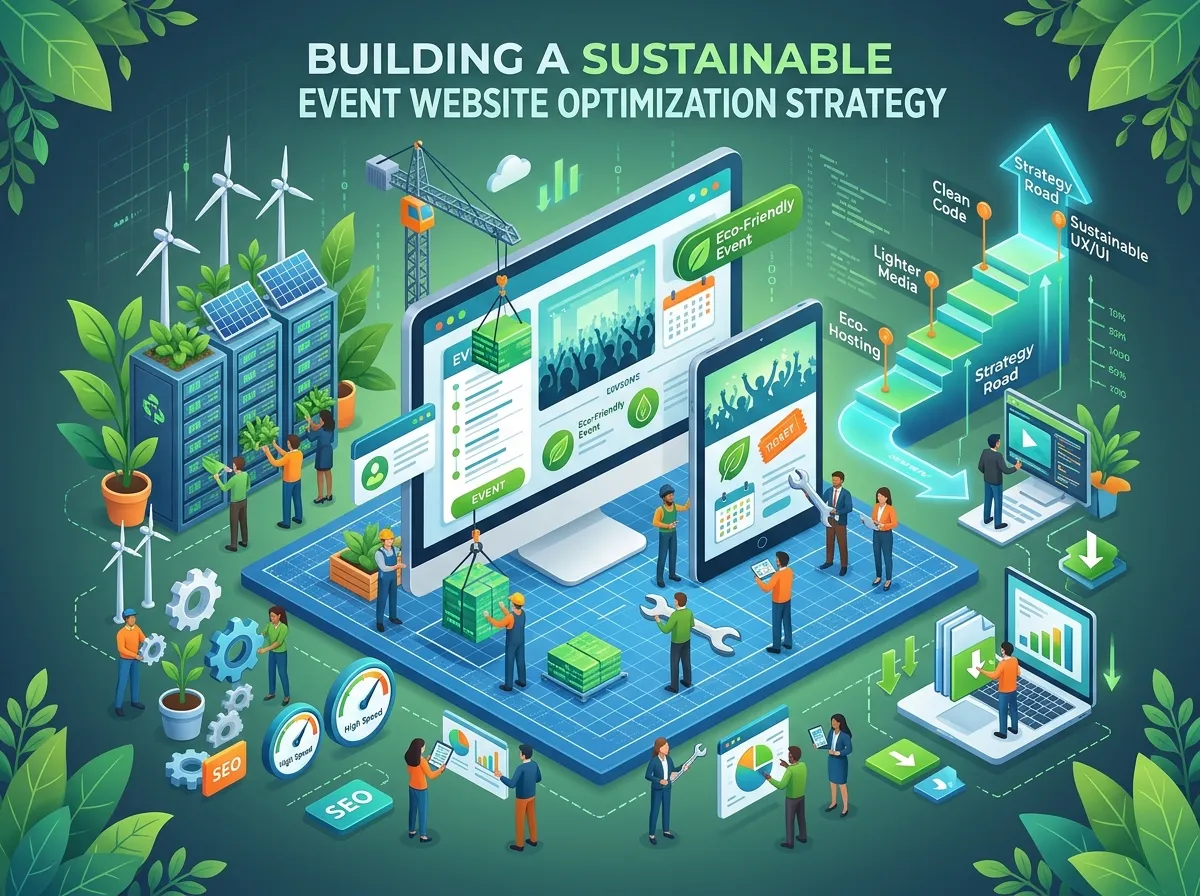
Sustainable optimization requires ongoing attention because event websites change as campaigns evolve. New speakers, sponsor logos, videos, registration integrations, and promotional banners can introduce performance issues even after a page has initially been optimized.
A reliable approach begins with establishing a baseline. Organizers can assess Core Web Vitals, identify the pages with the greatest traffic or business importance, and prioritize issues that affect the largest number of visitors.
Changes should then be tested before they are deployed widely. Reducing image sizes, changing scripts, or modifying a registration interface may improve one metric while affecting another part of the website. Testing helps ensure that performance improvements do not break essential functionality.
Content management practices also influence long-term results. Teams should use optimized image assets, avoid unnecessary plugins, review third-party integrations, and maintain consistent development standards. These practices reduce the likelihood of performance problems returning whenever new content is published.
Coordination between marketing, design, development, and event management teams is equally important. A new campaign element may look appealing but create additional loading demands or introduce layout instability. Reviewing performance during the publishing process helps teams balance creative requirements with technical quality.
Finally, performance expectations should reflect the event’s needs. A small local workshop may require a straightforward landing page and registration form, while a large conference may need complex schedules, multiple ticket categories, and integrated payment tools. The best solution provides the necessary functionality without introducing avoidable complexity.
Continuous monitoring and thoughtful implementation help keep event websites fast, stable, and responsive as campaigns grow and visitor expectations change.
Conclusion
Event Core Web Vitals provide event organizers with a practical framework for understanding website loading speed, responsiveness, and visual stability. These factors influence how easily visitors can explore event information, interact with registration tools, and complete important actions.
Improving LCP, INP, and CLS requires attention to image optimization, script execution, server performance, responsive design, and layout stability. Regular testing helps identify technical issues before they interfere with the attendee experience, while real-user monitoring reveals how pages perform across different devices and network conditions.
Website performance should also work alongside clear communication, trustworthy event information, and coordinated digital marketing. A technically efficient page is most valuable when it helps visitors understand the event and complete their intended tasks.
By treating performance as an ongoing part of event website management, businesses can create more reliable digital experiences that support attendee satisfaction, registration goals, and long-term marketing effectiveness.
Frequently Asked Questions About Event Core Web Vitals
1. What are Event Core Web Vitals?
Event Core Web Vitals are Google’s website experience metrics applied to event websites and landing pages. They measure loading performance, interaction responsiveness, and visual stability to help organizers identify issues affecting visitors.
2. Why are Core Web Vitals important for event websites?
They help organizers understand whether event pages load efficiently, respond promptly, and remain visually stable. These qualities make it easier for visitors to review event details and complete registrations.
3. What are the three main Core Web Vitals?
The three main metrics are Largest Contentful Paint (LCP), Interaction to Next Paint (INP), and Cumulative Layout Shift (CLS). They measure loading speed, interaction responsiveness, and unexpected layout movement.
4. What are the recommended Core Web Vitals thresholds?
Google defines good results as an LCP of 2.5 seconds or less, an INP of 200 milliseconds or less, and a CLS score of 0.1 or less. These thresholds are evaluated at the 75th percentile of real-user visits.
5. How can event organizers improve page loading speed?
Organizers can optimize images, improve server response times, use caching, reduce unnecessary JavaScript, and prioritize important page content. Reviewing third-party scripts can also reveal opportunities to reduce loading delays.
6. How does mobile performance affect event registrations?
Poor mobile performance can make event details difficult to access and registration forms frustrating to complete. Responsive layouts, readable text, efficient assets, and simple forms help create a smoother registration experience.
7. What causes layout shifts on event pages?
Common causes include images without reserved dimensions, dynamically inserted banners, changing advertisements, and fonts that alter text layout after loading. Reserving space for page elements helps reduce unexpected movement.
8. Which tools can measure event website performance?
Google PageSpeed Insights, Lighthouse, and Chrome User Experience Report data can help assess performance. Each provides different insights, so combining laboratory diagnostics with available real-user measurements offers a more complete understanding.
9. Do Core Web Vitals directly guarantee better event rankings?
No. Meeting Core Web Vitals thresholds does not guarantee higher search rankings or more registrations. They are part of the broader page experience picture, which also includes relevance, content quality, and other search and user experience factors.
10. How often should event website performance be checked?
Performance should be checked during development, after significant website changes, and throughout important promotional periods. Regular monitoring helps identify problems introduced by new content, traffic increases, or third-party integrations.